Check-in
No queue at the door.
Your team scans from their own phones, guests show the QR code on theirs, and every scan reaches every device at once.
Anna Nováková
Awaiting
Before the doors open
Your team is ready before the doors open.
You create access codes in the event admin. Each comes with a staff manual you can print or send by email.
Getting the team on
- A code per station
- Main entrance, cloakroom, VIP. Each station has its own code, and the guest’s history shows where they came in.
- Staff manual
- An A4 page with the QR to join, the station name and a few ground rules. In Czech, or in English for staff from abroad.
- An extra password
- Lock a code with a password. Without it, a phone won’t join the event, even if someone photographs the QR.
Devices and manual changes
- Cut off a lost phone
- Delete the code and every phone that joined with it is signed out on the spot. An idle phone signs itself out after eight hours.
- No device limit
- Two phones at the door or twenty. You never pay extra for scanners or devices.
- Manual check-in
- Check a guest in or reset them by hand from the list in the admin, and add a note to the change.
At the door
Check-in runs in the browser.
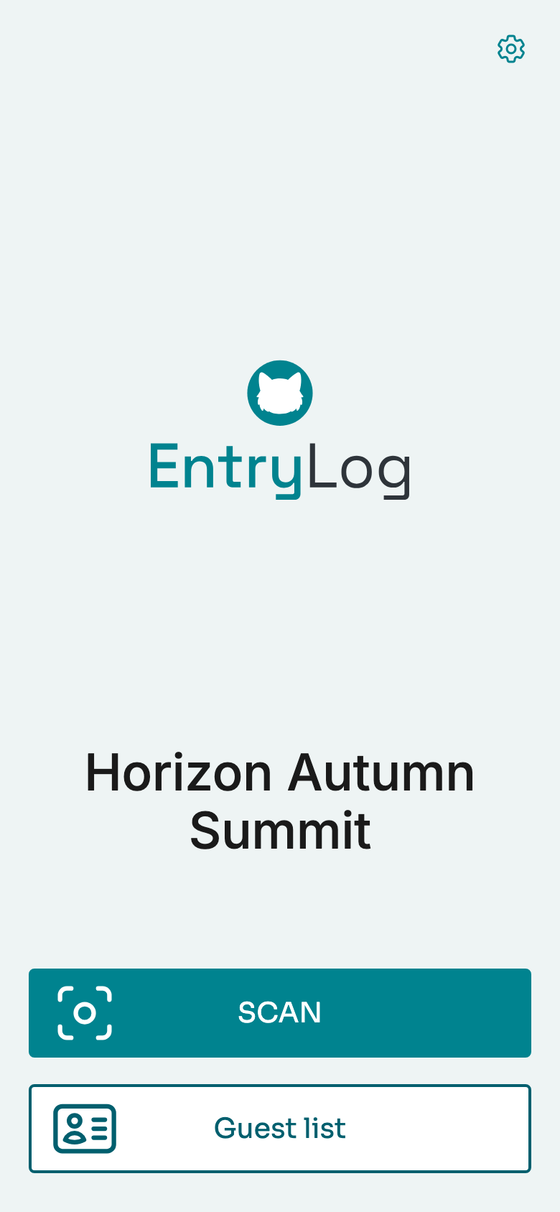
Scout is the EntryLog scanner. It runs in the phone’s browser, so there’s nothing to install and no training session.
- Join with one QR code
- Every phone on the team joins the event by scanning the QR code from the staff manual.
- Scan or search the list
- “Scan” opens the camera. In “Guest list” you find anyone who forgot their QR code by name.
- Live on every phone
- Each scan shows up straight away on the other devices and in the admin. Nobody has to refresh.
The guest
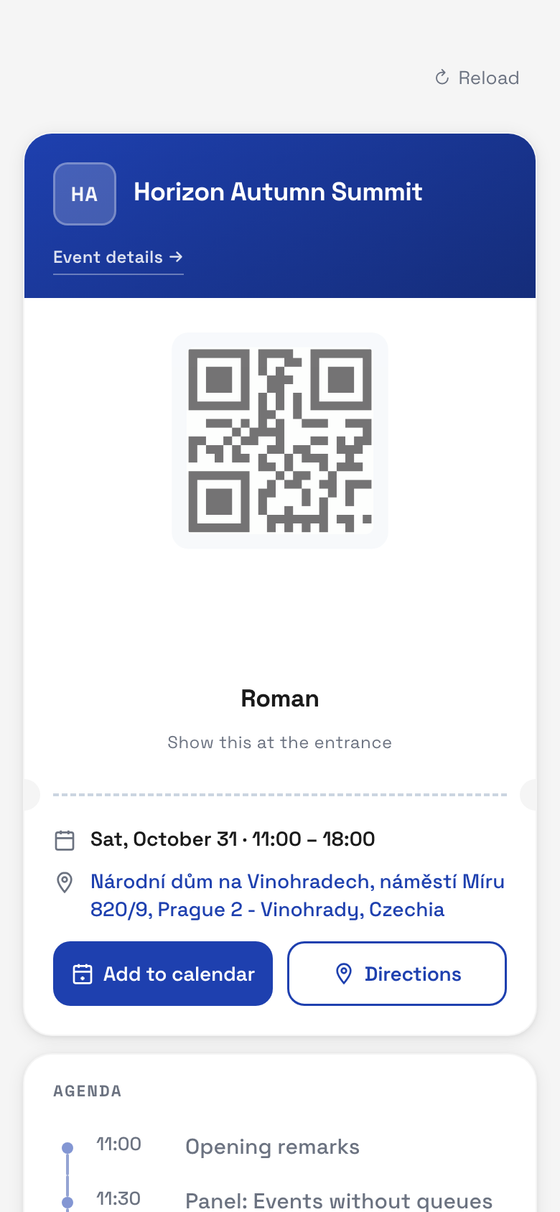
Ticket, agenda and venue on the guest’s phone.
Every guest has a private link to their mobile ticket, which you send in the invitation. It carries their QR code, the agenda, the venue and a way back to the event page.
- No account, no password
- Anyone who loses the link enters their email and the code that arrives there.
- Works offline
- The ticket is stored for thirty days, so the QR code shows even without signal.
- On the home screen
- Guests add the ticket to their home screen next to their other apps, or just keep the link.
During the event and after
Know who’s inside.
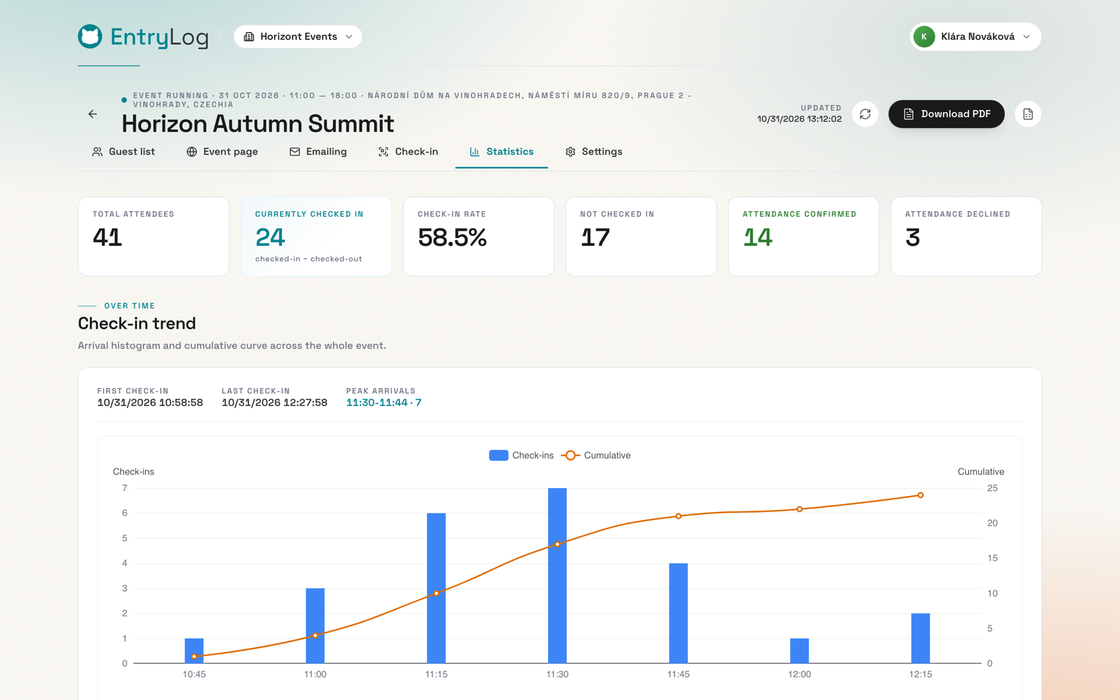
Statistics update with every scan. During the event you watch the room fill up; afterwards you have the numbers for your client.
- Live numbers
- How many guests are inside, the check-in rate and who’s still missing.
- Alerts
- You’re told when nobody has arrived for 30 minutes or a quarter of guests haven’t replied.
- Arrival timeline
- A chart with the first and last check-in and the peak, when the door was busiest.
- CSV and PDF export
- Download the guest list and statistics — all of it, or just the filtered guests.
What door teams ask us
-
What if the venue Wi-Fi dies right at peak time?
Check-in needs an internet connection, but it doesn’t have to be the venue Wi-Fi. Mobile data or someone’s hotspot will do. When a phone loses its connection, Scout says so straight away, so nobody scans blind. The guest’s ticket still shows offline.
-
What if a guest forgets their QR code?
Switch Scout to “Guest list”, find them by name and check them in by hand.
-
Someone on the team lost their phone. Now what?
Delete the access code that phone joined with. Every phone using that code is signed out at once. Create a new code for the rest of the team and send them the new manual.