Tickets & registration
Sell tickets. Zero commission.
Guests pay by card on Stripe’s checkout page and the money lands straight in your account. It never passes through us, and we take none of it.

How a guest buys
From picking a ticket to a QR code.
-
Picks a ticket
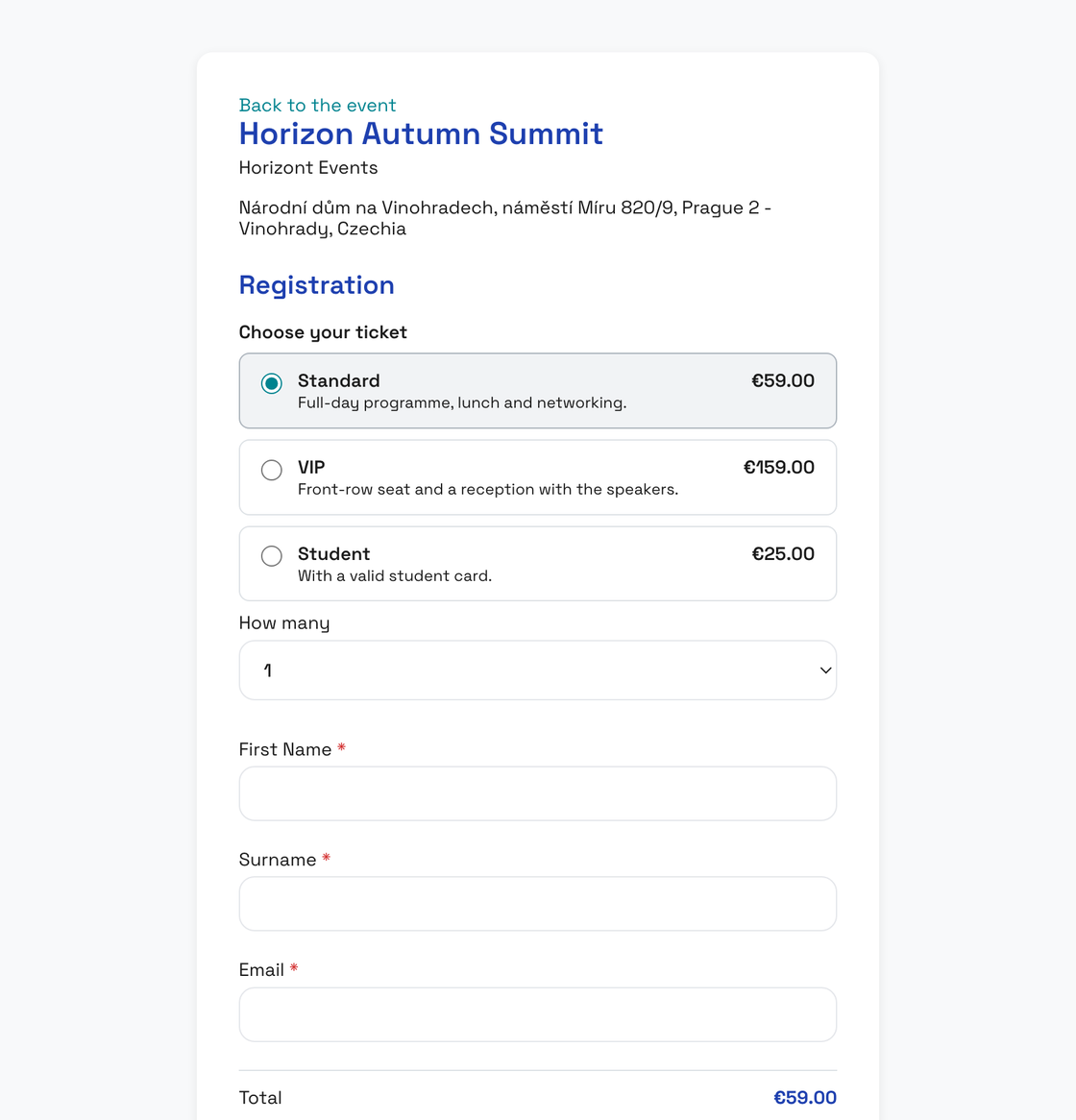
Chooses the ticket type and how many on your event page. Whoever buys several can name the other guests straight away.
-
Pays by card
On Stripe’s checkout page, in the event’s language. Enters a billing address and, when buying for a company, a VAT ID.
-
Lands on your guest list
Everyone who was paid for gets their own QR code. Fill in any missing names in the list.
-
Gets a receipt and invoice
The receipt arrives by email, and Stripe issues the invoice in your name.
What you set per event
Tickets
- Ticket types
- Standard, VIP, student or free. Each type has a price in CZK or EUR, a description and its own number of places.
- Sale window
- Sales open and close when you say. For each type you see how many sold, how many are reserved and whether it has sold out.
- Your Stripe account
- We connect the account you already have, or set up a new one with you.
Registration
- Who can sign up
- Anyone with the link, or only the people you have invited.
- Opening, deadline and capacity
- Registration opens when you set it to and closes itself after the deadline. It also closes the moment the event is full.
- Several guests per sign-up
- One registration can bring up to 20 people. Each gets their own ticket with a QR code.
- Email confirmation
- Every guest confirms their sign-up from an email link. Unconfirmed sign-ups are listed separately with the reason; resend the email or verify the sign-up by hand.
- Bot protection
- Cloudflare Turnstile guards the form. Guests never decipher squiggly letters.
- After sign-up
- Guests stay on the event page, or you send them to your own website — straight away, with a button or after a countdown.
Event page
Your event. Your domain. Your colours.
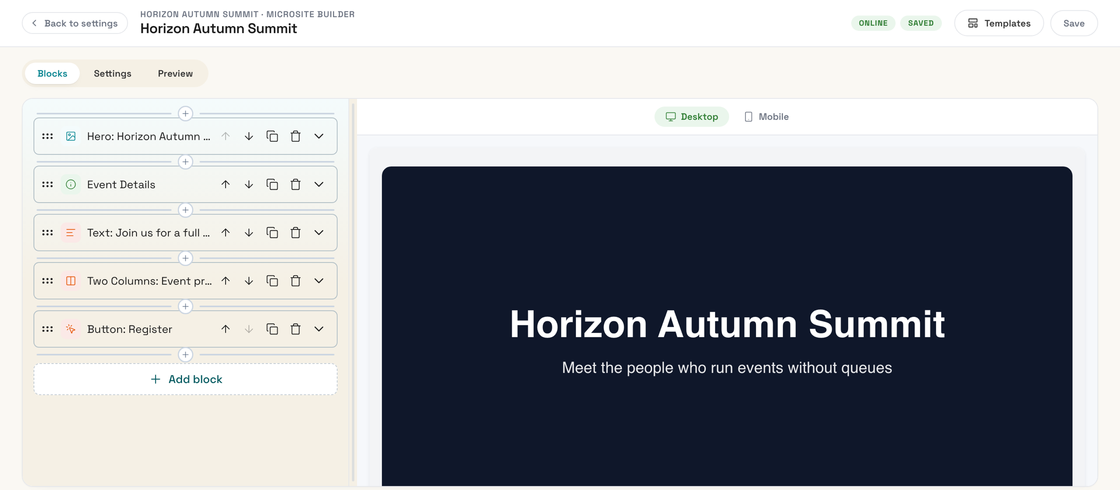
Build a page for every event in minutes: a hero, the agenda, speakers, partners, the venue and registration. It runs on our address or on your own domain.
- Block-based builder
- Start from a template and arrange sixteen blocks — from agenda and speakers to countdown, video and Q&A — by dragging them into place.
- Your own domain
- The event runs on whatever domain you give it — say
yourconference.comorevents.yourbrand.com. Add a CNAME and a TXT record; we handle the certificate. - Carries your branding
- The guest’s mobile ticket picks up the logo and colours of your event page.
Before you start selling
-
How much does EntryLog take from ticket sales?
Nothing. You only pay to activate the event, priced by guest count (see pricing). Stripe charges its own fee for card payments.
-
Do we need a Stripe account?
Yes, payments run through Stripe on your own account. If you already have one, we connect it. If not, we set one up with you. Write to us at info@entrylog.eu.
-
Which currencies can we sell in?
CZK or EUR. You choose the currency for each ticket type.
-
Which languages can an event run in?
English or Czech, set per event. The event page, registration form, checkout page and the emails guests get when they register all follow the event’s language, whatever their browser is set to.
-
What if a guest mistypes their email address?
The confirmation email never arrives, and the sign-up shows under your guest list as undelivered. Check the address with the guest and verify the sign-up by hand, or delete it.